Your Mac, from anywhere.
Even on your iPhone.
Keep your agents and builds running on your Mac mini, Mac Studio or iMac. Use its full desktop, terminal, files, tunnels, chat and voice calls from your iPhone, iPad or another Mac.
Mac mini
Leave your Mac running.
Your agents and builds run on the Mac mini, Mac Studio or iMac at home or the office.
iPad
Use the full desktop on iPad.
Use a keyboard and trackpad as you would on a Mac.
iPhone
The full desktop on iPhone, too.
Control the Mac’s screen from your phone, or open a terminal in the same app.
MacBook
Open the server on your Mac mini.
A private tunnel brings its dev server to your MacBook as if it ran locally.
Every device
The same features on all three.
Full desktop, terminal, files, tunnels, chat and voice calls on iPhone, iPad and Mac.
- Shells keep running for up to a week after disconnecting
- 7 days
- Still screens keep text sharp
- Lossless
- End to end, including through our relay
- Encrypted
- No changes to your router
- No setup
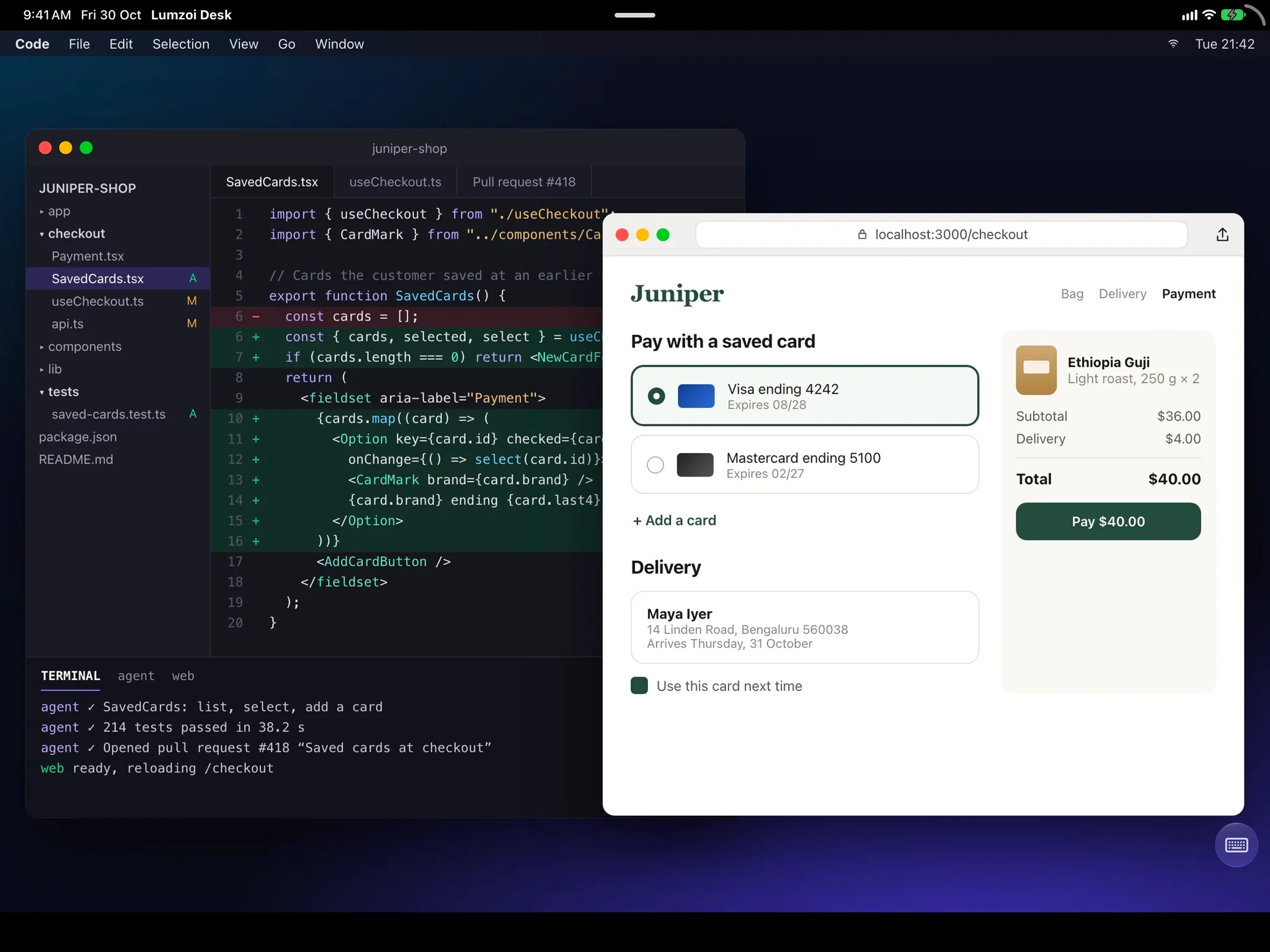
01Desktop on iPad
Your Mac’s desktop on iPad.
Open the Mac’s full desktop. A keyboard and trackpad work like they do on a Mac.
- Text stays sharp when the screen is still.
- Moving screens use full-colour video.
- Copy text, images and files both ways.
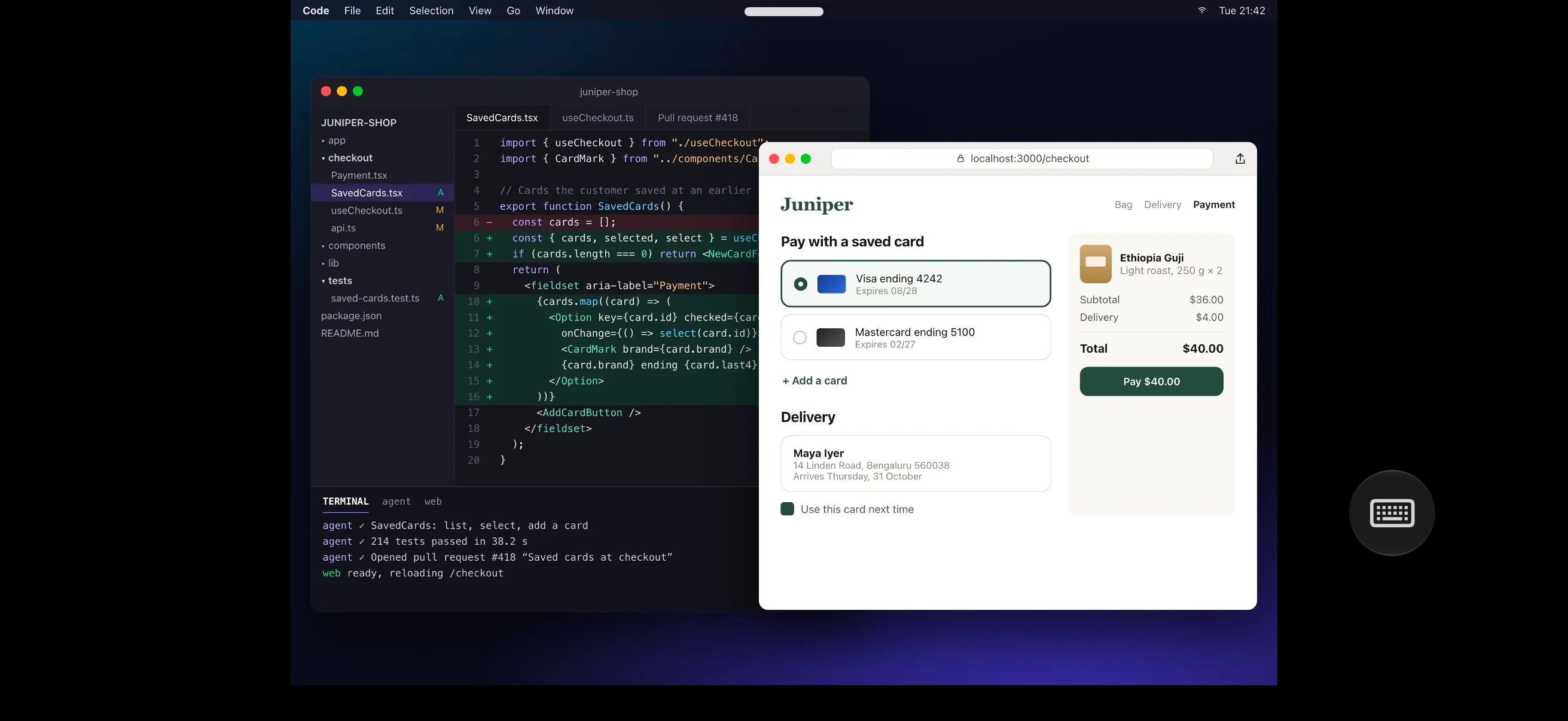
02Desktop on iPhone
Control your Mac from your phone.
Your iPhone has the full desktop and every other feature: terminal, files, tunnels, chat and voice calls.
- See and control the Mac’s screen.
- Choose Low latency or Best quality.
- Copy and paste between the iPhone and Mac.
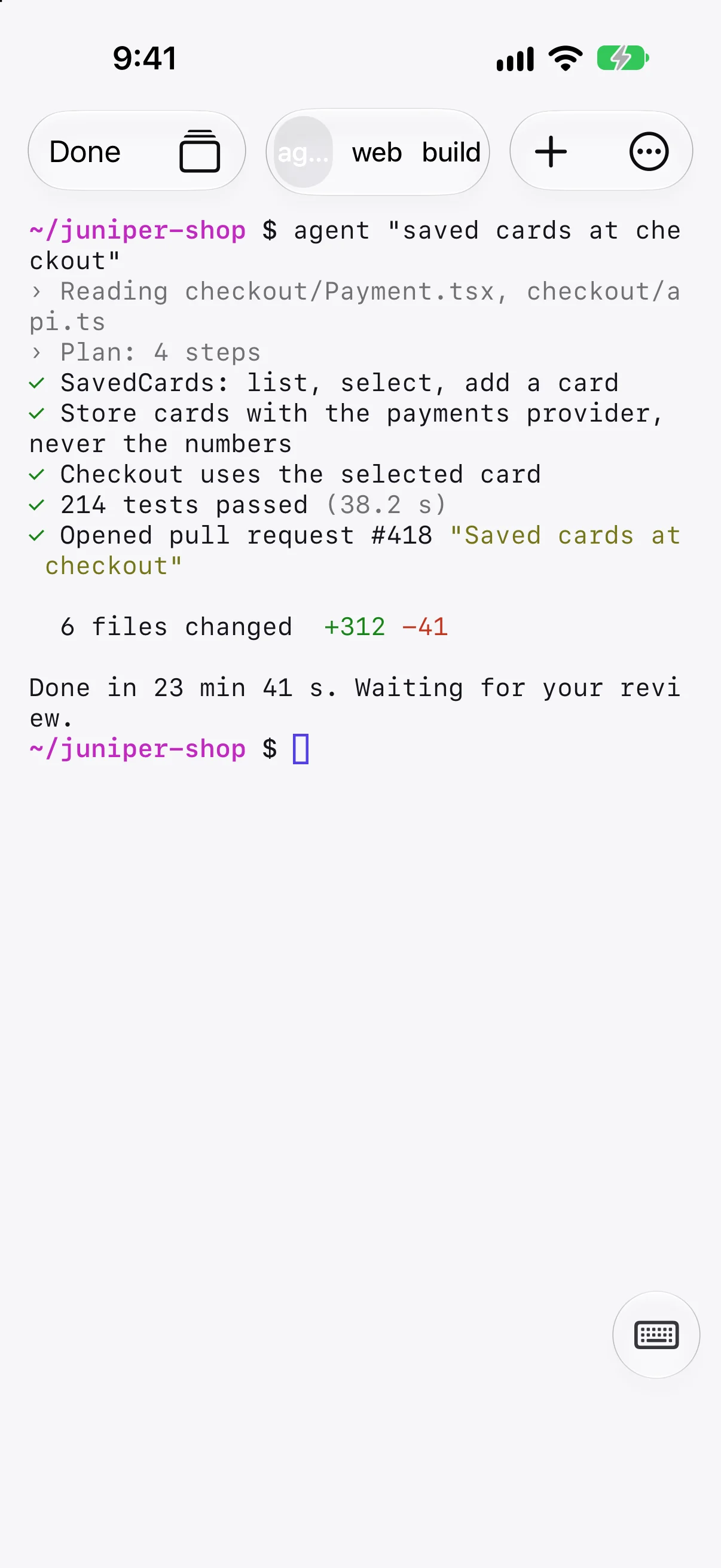
03Terminal
Close the app. Your shells keep running.
Reopen your session to find the shell tabs and what they printed while you were away.
- Shells run for up to 7 days, unless ended or the Mac restarts.
- Shells run as you, with your login environment.
- Tap the keyboard button for Esc, Tab, Control and the arrows.
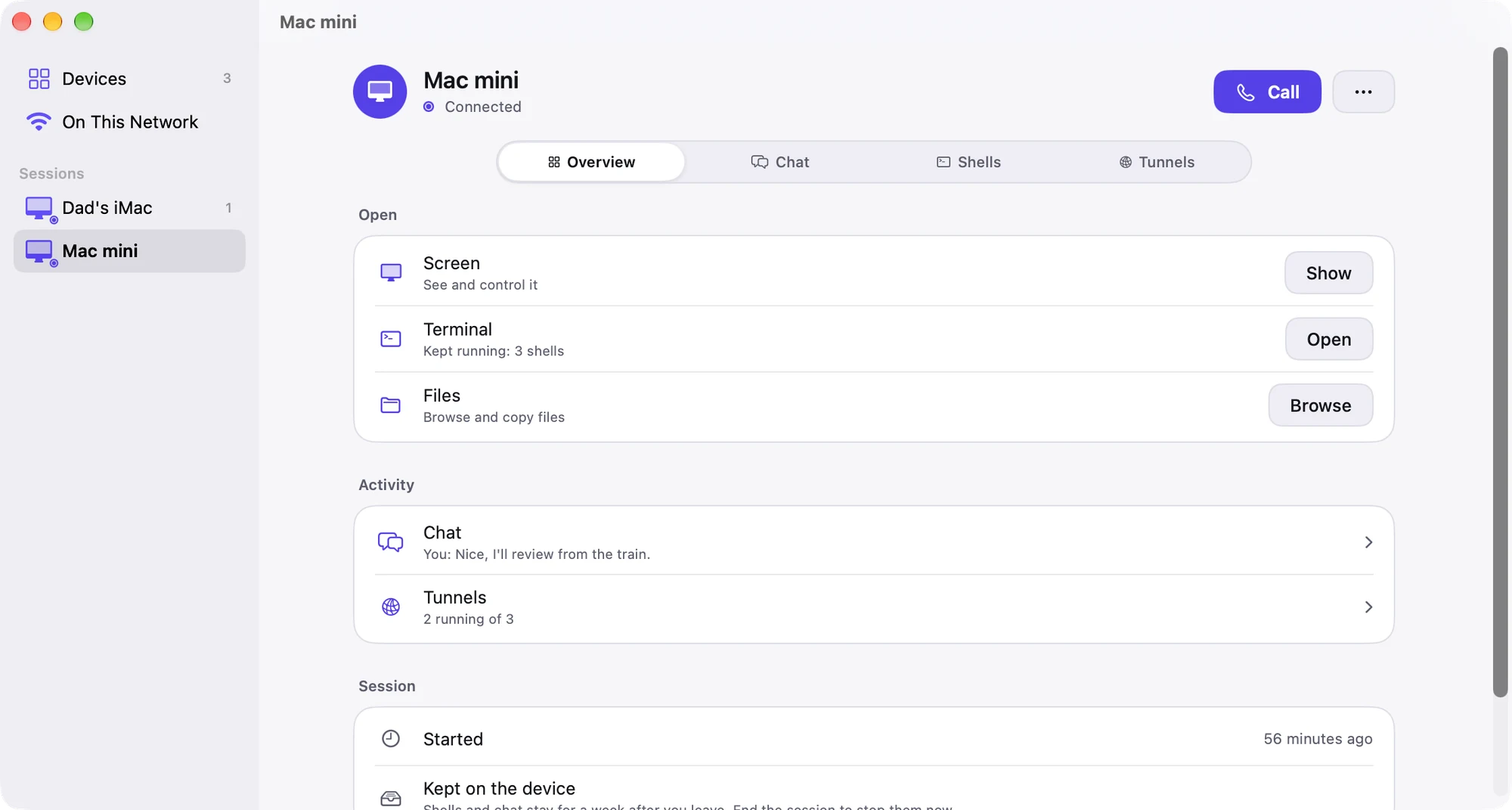
04Sessions
One session for each device.
Each device gets a session on the Mac. It holds the screen, terminals, tunnels, files and chat.
- Open Overview, Chat, Shells or Tunnels.
- Shells reopen as tabs when you return.
- Previously approved devices return with the same access.
05Files
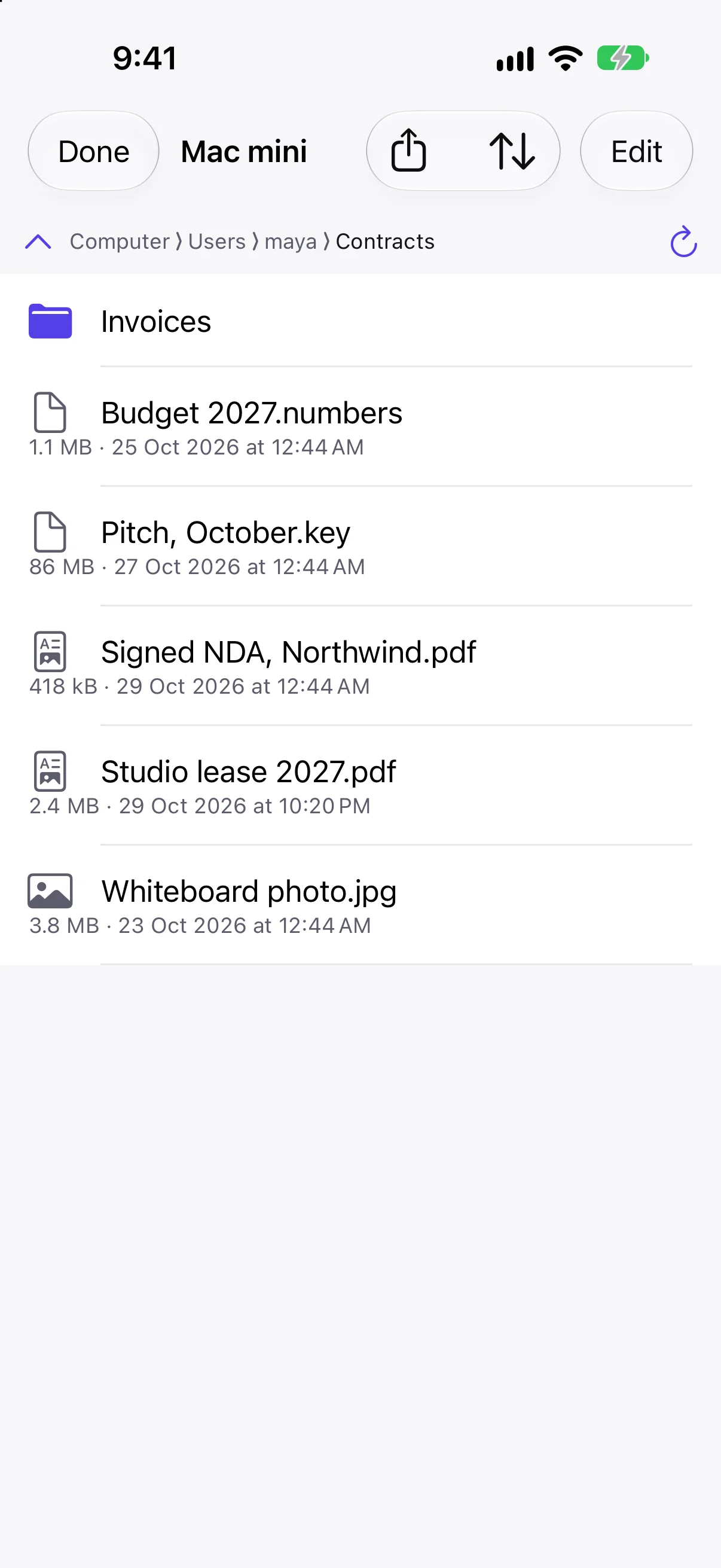
Get a file from the Mac.
Browse the Mac’s files from your iPhone, iPad or another Mac.
- Transfer files to or from the Mac.
- Transfers resume after a dropped connection.
- File transfers belong to your session.
06Tunnels
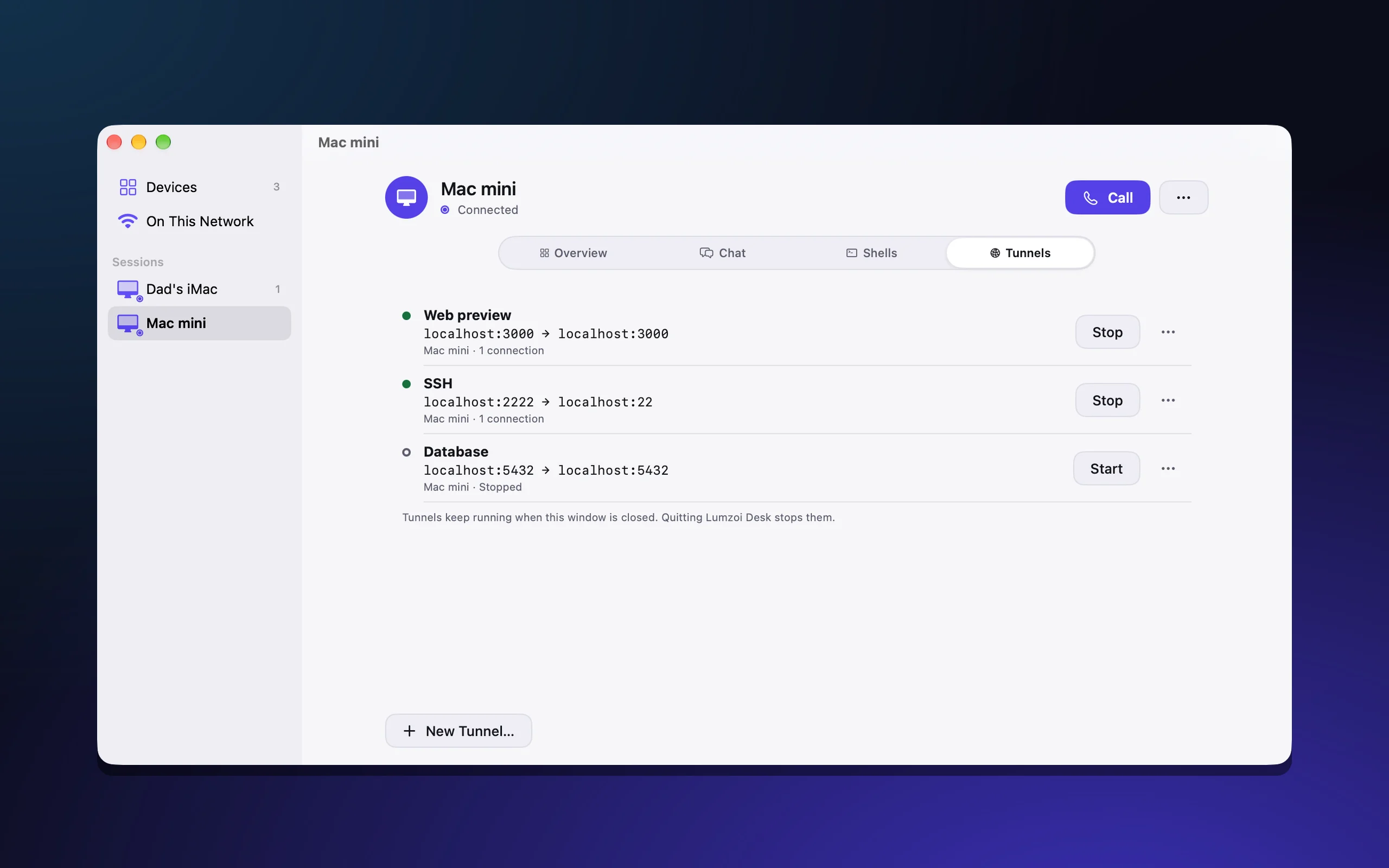
Open the dev server on your Mac.
Use a tunnel to reach a service on your Mac from another Mac, as if it ran there.
- Connect to a dev server, notebook or database.
- Tunnels are private to your devices.
- Manage tunnels inside your session.
07Chat and calls
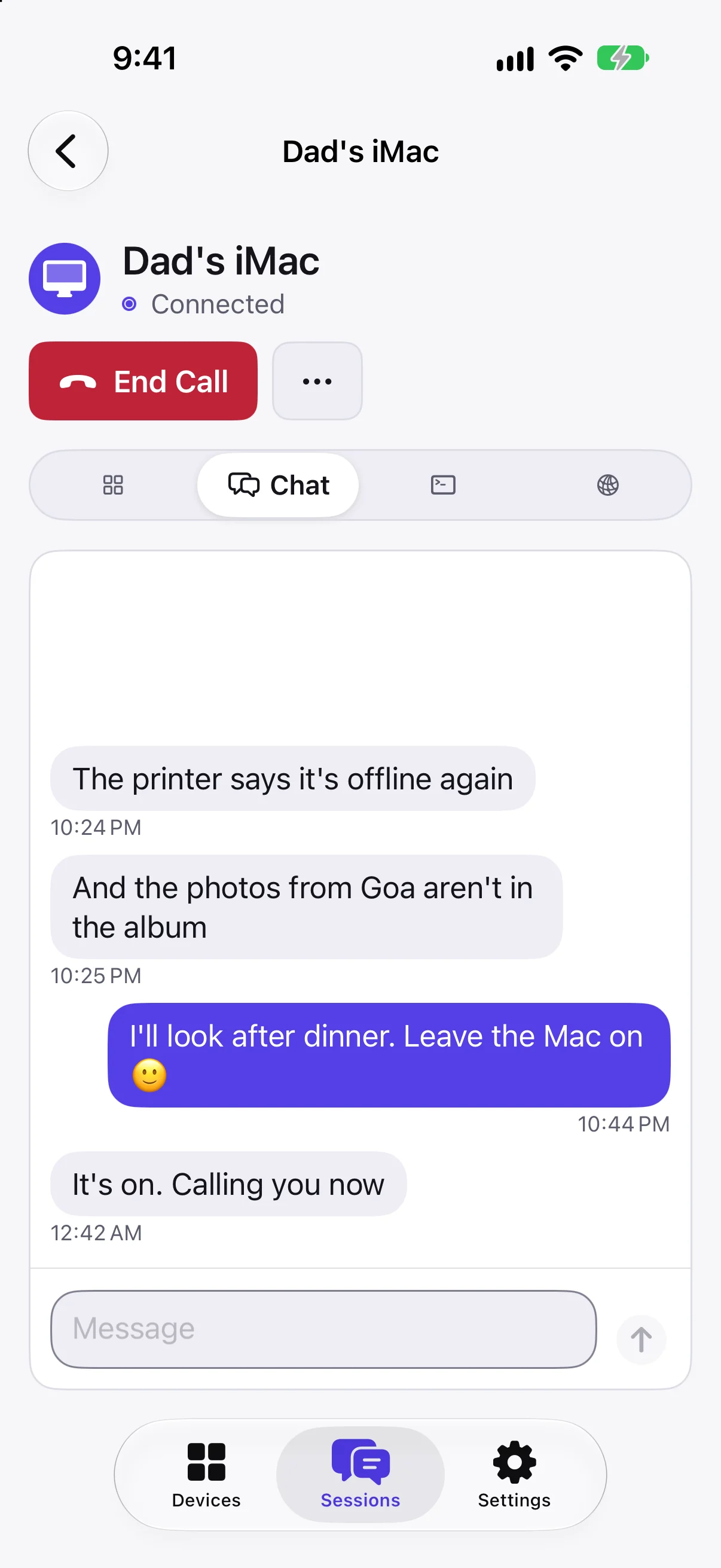
Talk without opening the desktop.
Chat with or call the person at the Mac. Open the screen in the same session if you need to help.
- Messages and calls arrive as notifications.
- The last 200 messages stay with the session.
- Start or answer voice calls from either side.
08Desk Host
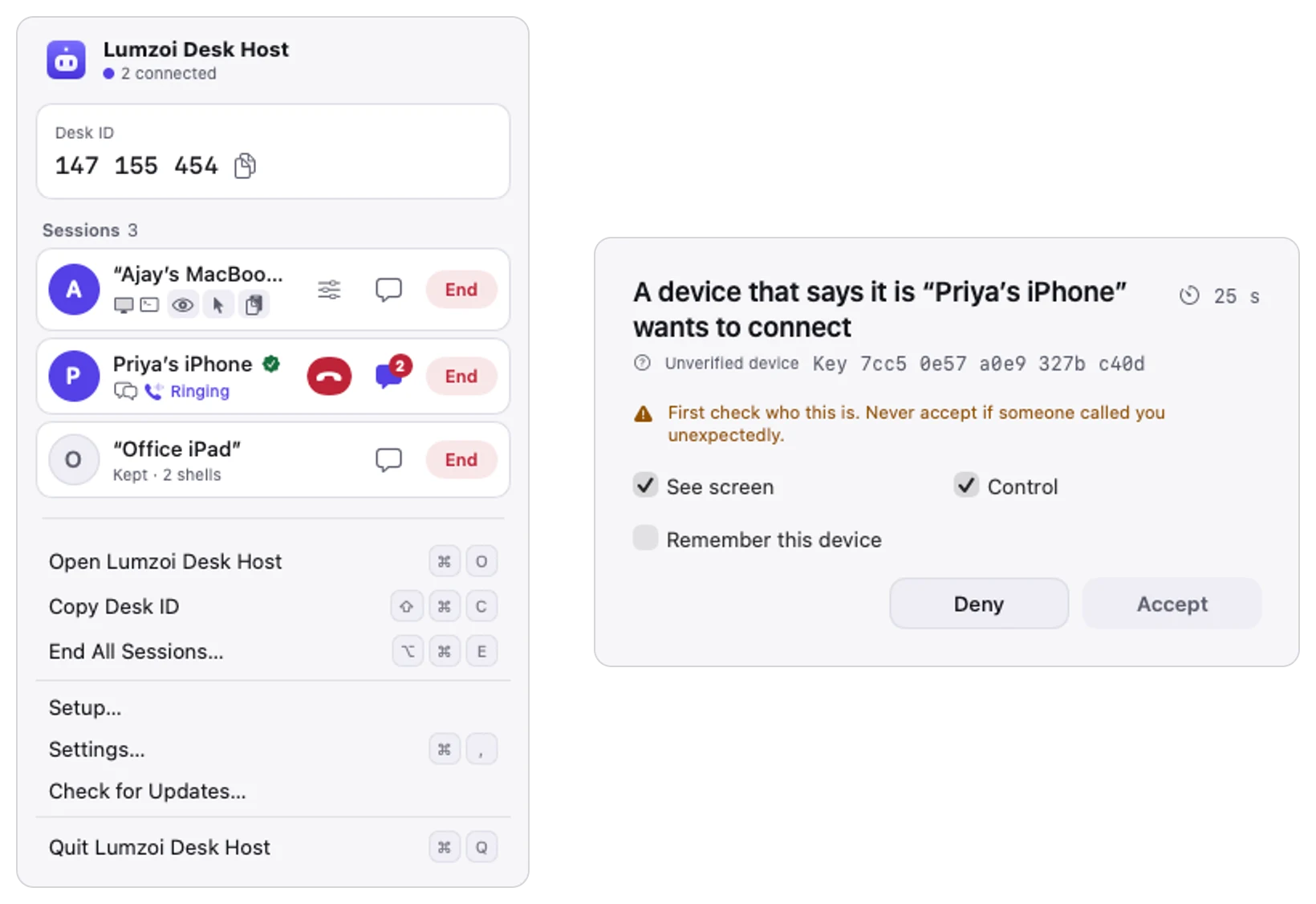
Approve access from your Mac.
Desk Host runs in the menu bar on the Mac you want to reach. It shows the name of each new device asking to connect.
- Choose view only, control or everything.
- See sessions and start or end calls.
- End any session from the menu bar.
Network
No router setup.
Connect through hotel Wi-Fi, office firewalls or a phone hotspot. Lumzoi Desk uses a direct connection when possible and a relay otherwise. Your connection carries on when you switch networks.
Security
You choose who connects.
The Mac asks before a new device connects. Choose view only, control or everything. Connections are encrypted end to end, including through our relay.
Read about securityFeatures
Every feature on every device.
Your iPhone, iPad and Mac all have the full desktop, terminal, files, tunnels, chat and voice calls.
Desktop
- Full desktop controlSee and control your Mac from any Lumzoi Desk viewer.
- Sharp textThe screen is lossless when still, with full-colour video when it moves.
- Display windowsOn Mac, open each remote display in its own window.
- ClipboardCopy text, images and files between your devices in either direction.
- Picture modesChoose Low latency or Best quality.
Terminal and sessions
- One session per deviceA session holds your screen, terminals, tunnels, files and chat.
- Shells that stay runningShells run for up to 7 days after disconnecting, unless ended or the Mac restarts.
- Output while awayReopen your shell tabs to see what they printed while you were disconnected.
- Your login environmentShells run as you, with your login environment.
- Terminal key rowUse Esc, Tab, Control and arrow keys from the key row.
Files and tunnels
- Browse filesBrowse the files on your Mac from any viewer.
- Transfer both waysSend files to your Mac or bring them to your device.
- Resumable transfersTransfers resume after a dropped connection.
- Private tunnelsOpen a service on your Mac from another Mac as if it ran there.
- Tunnels in your sessionTunnels stay in the session and are private to your devices.
Chat and calls
- Without the screenChat with or call the person at the Mac without opening its desktop.
- NotificationsMessages and incoming calls arrive as notifications.
- Session historyThe last 200 chat messages stay with the session.
Network
- Direct when possibleYour devices connect directly when the network allows it.
- Relay when neededOur relay carries the connection when a direct path is blocked.
- No router changesConnect through hotel Wi-Fi or office firewalls without router setup.
- Switch networksThe connection carries on when you change networks.
Security
- Device approvalThe Mac shows each new device’s name and asks you to approve it.
- Choose accessAllow view only, control or everything.
- Remembered approvalPreviously approved devices return without a prompt for the same access.
- End-to-end encryptionEvery connection stays encrypted between your devices, including through our relay.
- End any sessionEnd a session from Desk Host in the Mac’s menu bar.
Lumzoi Desk Pro
Everything in Pro, free during the preview.
Priority support
Get a reply within one working day.
Up to 3 Macs
Reach up to 3 Macs with your plan.
All your devices
Connect from all your iPhones, iPads and Macs.
Shells that keep running
Stay disconnected for up to 7 days without stopping your shells, unless the Mac restarts.
Relay included
Use up to 150 GB per month when a direct connection is not possible.
Automatic Mac updates
Lumzoi Desk and Desk Host update themselves on Mac.
End-to-end encryption
Your connection stays encrypted, direct or relayed.
No ads or tracking
Lumzoi Desk has no ads and does not track you.
Mac, iPhone and iPad.
Works with any Mac with Apple silicon: Mac mini, Mac Studio, Mac Pro, iMac, MacBook Air and MacBook Pro.
Free during the preview.
Lumzoi Desk Pro
PreviewFreeduring the preview
- Priority support: a reply within one working day
- Up to 3 Macs to connect to
- All your iPhones, iPads and Macs
- Full desktop, terminal, files, tunnels, chat and calls on every viewer
- Unlimited direct connections
- Up to 150 GB of relay traffic per month
Sign in with Apple to start. When paid plans start, Pro will be $5.99 a month or $49.99 a year. We'll tell you in the apps at least 7 days before, and nothing is charged unless you subscribe.
Questions and answers
Is Lumzoi Desk free?
Yes, during the preview: sign in with Apple and every feature of Pro is yours. Paid plans start once the Web, Android, Windows and Linux apps are out, with at least 7 days' notice in the apps.
Which devices are supported?
The Mac you connect to can be any Mac with Apple silicon and macOS 15 or later (Mac mini, Mac Studio, Mac Pro, iMac, MacBook Air or MacBook Pro), with Desk Host installed. Lumzoi Desk runs on those Macs, iPhones with iOS 18 or later and iPads with iPadOS 18 or later.
Can I use the full desktop on my iPhone?
Yes. iPhone, iPad and Mac have the same features: full desktop control, terminal, files, tunnels, chat and voice calls. On iPhone and iPad, tunnels run while Lumzoi Desk is open.
Do I need to change my router’s settings?
No. Your devices connect directly when possible and use Lumzoi’s relay otherwise.
What happens after I disconnect?
Shells keep running for up to 7 days, unless you end them or the Mac restarts. Reconnect to see their tabs and output. A previously approved device returns without another prompt for the same access.
Can Lumzoi see my screen?
No. Connections are encrypted end to end. Our servers see Desk IDs, IP addresses and connection times, never your screen, keystrokes or files.
What happens if the Mac restarts?
Its shells stop. Shells survive disconnects, not restarts.
What about Web, Android, Windows and Linux?
Clients for all four are coming soon. Join the notify-me list for the platform you use.